How Superpowers is useful?
If you’ve used standard LLMs (like ChatGPT or Gemini or vanilla Claude) for coding tasks, you know the drill. You type a prompt like “Build me a React component for a user dashboard,” and seconds later, code streams onto your screen. It feels magical.
But then, reality sets in.
The component doesn’t handle empty states. It hardcodes API endpoints. It uses a library deprecated three years ago. You spend the next hour in what I call the “Chat-and-Hope Loop”: typing furiously, correcting mistakes, restating context that the AI forgot five turns ago.
I was stuck in this loop until I started using the Superpowers plugin for Claude Code.
Here is how I use it in my daily workflow to stop “chatting” and start engineering.
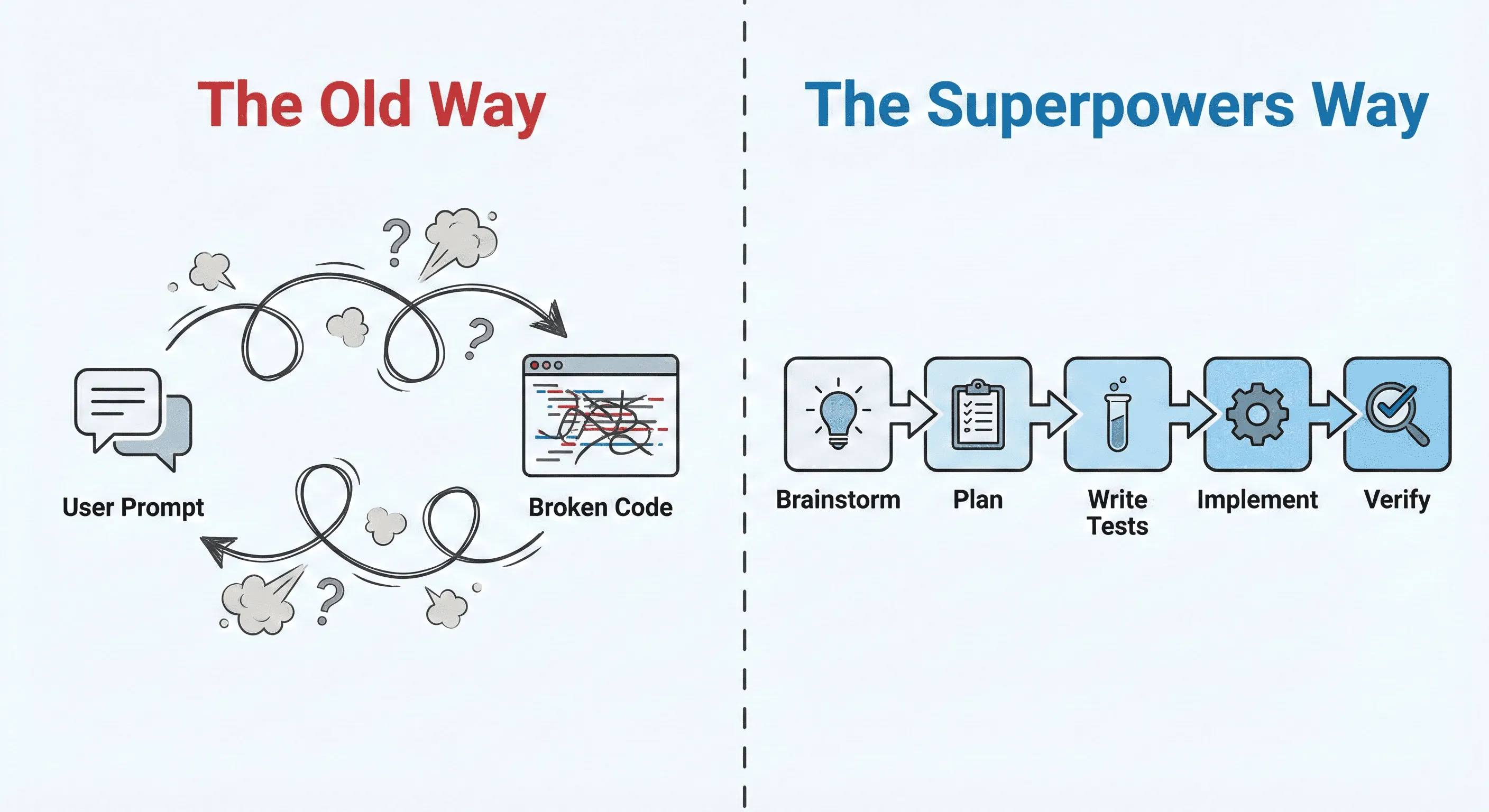
1. The Paradigm Shift
The biggest mistake we make with AI is prioritizing speed over structure. Superpowers introduces deliberate friction at the start of a task, and it changes everything.
When I have a new task, I no longer just dump it into the chat. I use the /superpowers:brainstorm command.
This forces the AI to stop acting like a “code generator” and start acting like a “requirements analyst.” It refuses to write implementation code until it understands the boundaries.
Example: Let’s say I want to add a CSV upload feature to my backend.
-
Standard AI: Immediately spits out a basic Python Flask route using Pandas. It looks okay, but it would crash on a 50MB file and has zero security checks for malicious file types.
-
Claude with Superpowers: It pauses. It asks me socratic questions:
“Before we build this, let’s clarify constraints: What is the maximum file size? Do we process this synchronously or offload it to a background worker? How do we handle malformed rows—reject the whole file or skip them? Do we need rate limiting?”
By spending 5 minutes answering these hard questions upfront, I save 50 minutes of debugging later. The output of this phase isn’t code; it’s a detailed specification that serves as the “truth” for the rest of the project.
2. TDD by Force
This is the feature that sold me. We all know LLMs hallucinate. They will confidently give you code that imports nonexistent functions or breaks silently in edge cases.
The Superpowers plugin enforces a Test-Driven Development (TDD) workflow. It is exceptionally rigid about this, and that’s a good thing.
When the planning is done, the agent doesn’t start building the feature. It starts building the verification steps. It will write a failing test case (Red) that proves the feature doesn’t currently exist or work as intended.
Only once that failing test is established will it attempt to write the implementation code (Green) to make the test pass.
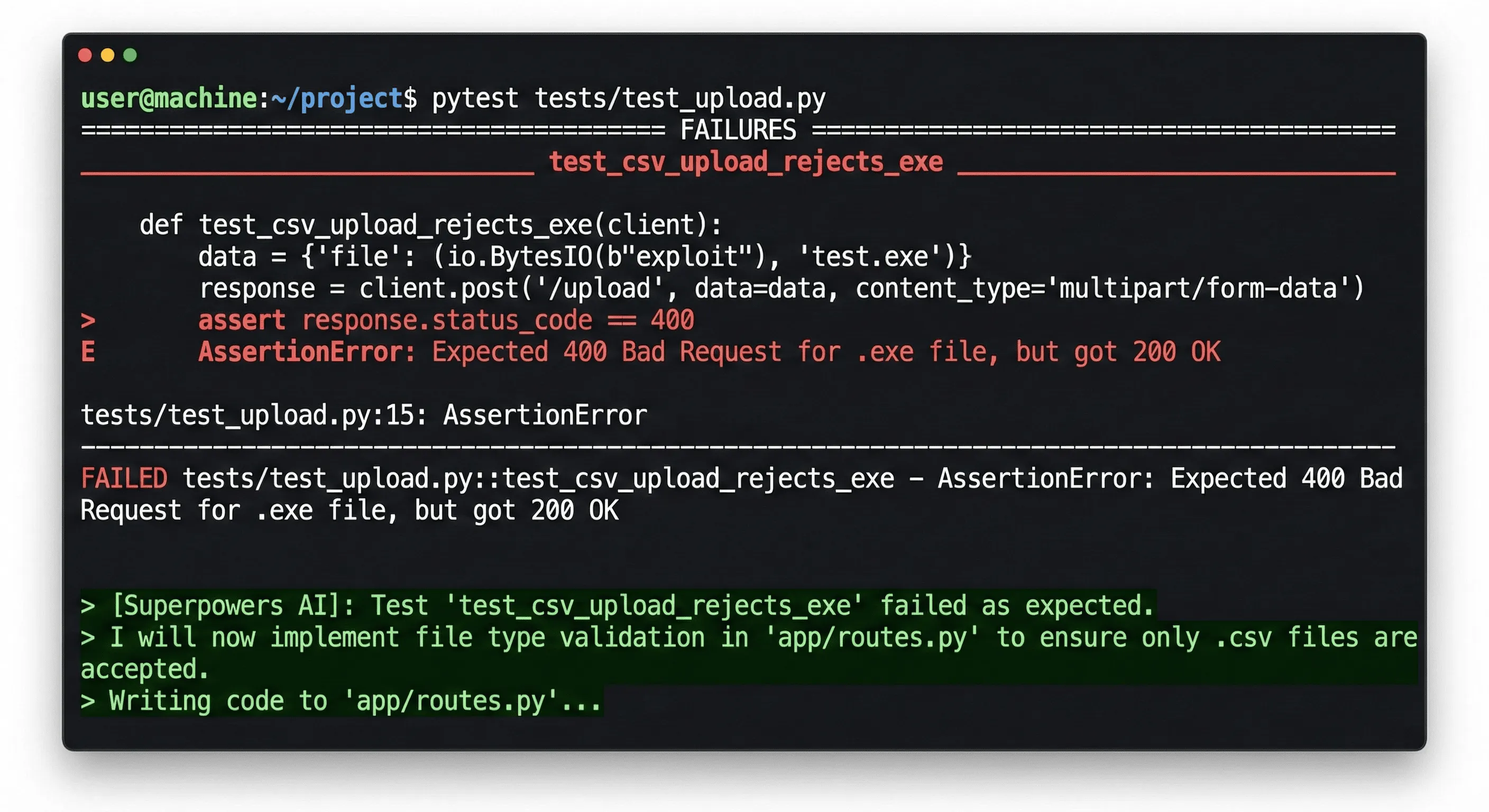
Why does this matter? Because it stops the AI from lying to itself. It can’t just say “I fixed it.” It has to prove it against a hard constraint. If the tests don’t pass, it iterates until they do, without me having to intervene.
3. A Real-World Example
To show you how this comes together, let’s look at an example: building a simple Command Line Interface (CLI) Todo app in Python.
In the old world, I would have said, “Write me a Python CLI todo app.” Claude would have given me a single app.py file using a dictionary for storage that vanished when the program closed.
Here is an abridged version of my actual interaction using Superpowers.
https://drive.google.com/file/d/1cIhU4TZ3VvAYBSySPUH0UOWoqc9Ye_aR/view?usp=sharing
4. The Autonomous Builder
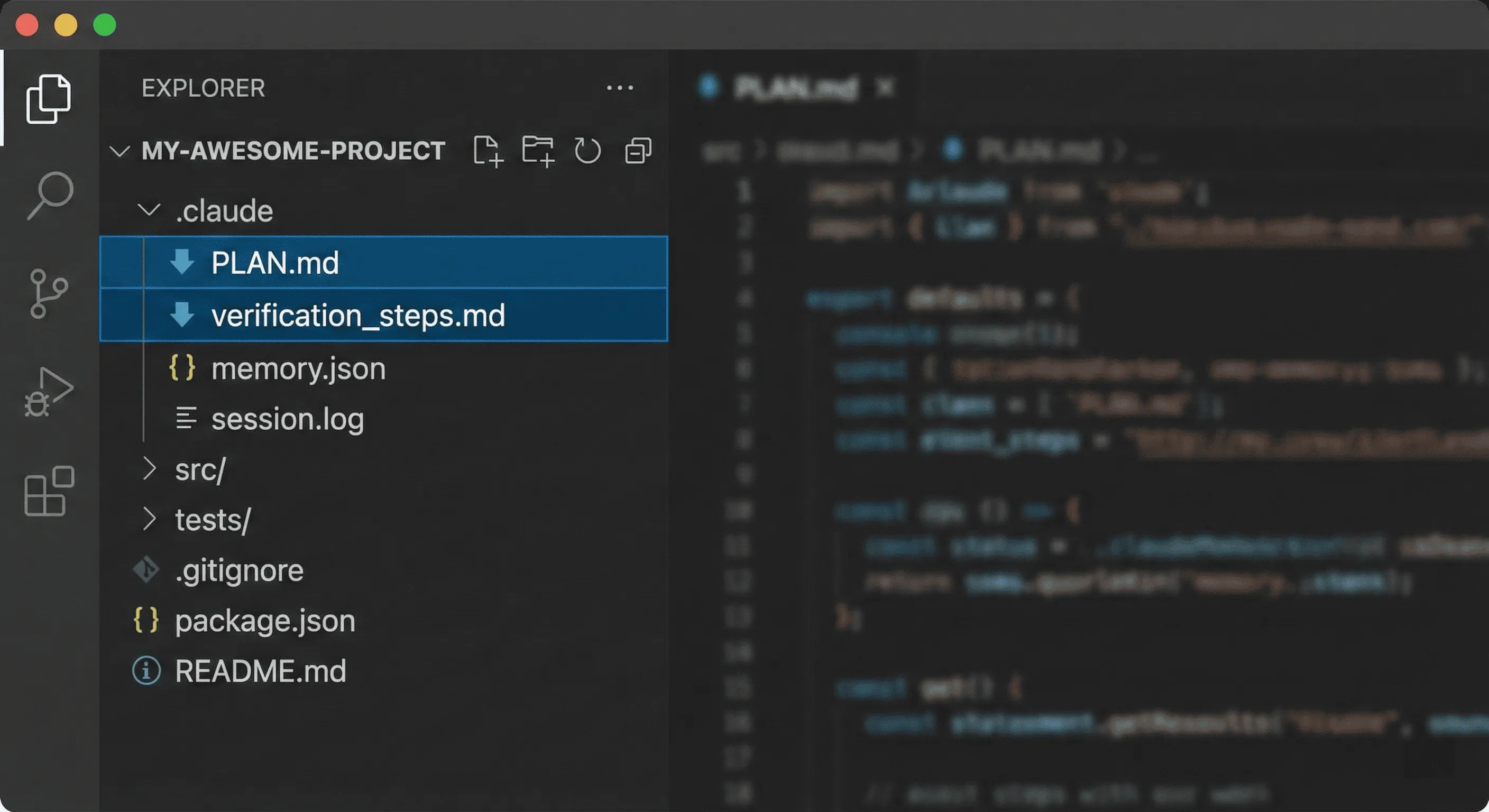
Once the brainstorming is done and the plan is locked in, Superpowers creates a dedicated file structure in my project (usually a hidden .claude/ folder containing PLAN.md, progress.md, etc.).
This solves the infamous “context window problem.” The AI doesn’t need to remember what we talked about 20 minutes ago because the state of the project is saved on disk, not in the chat history.
With the plan saved, I trigger the execution phase.
Claude now acts as an autonomous agent. It reads step 1 of the plan, writes the tests, implements the code, verifies it, marks step 1 as complete in progress.md, and moves to step 2.
While I wouldn’t trust a standard LLM to code unsupervised for 30 minutes, I trust Superpowers because of the TDD guardrails mentioned above. I can actually step away and grab a coffee while it handles the boilerplate.
Conclusion
Using the Superpowers plugin feels slower at first because you aren’t getting instant code snippets. But that speed was an illusion anyway—you were just borrowing time from your future self who would have to debug that messy code.
By adopting this structured workflow—brainstorming requirements, enforcing TDD, and using file-based planning—I’ve moved from babysitting an AI chatbot to managing an AI engineer. The code is more robust, the edge cases are covered, and perhaps most importantly, my frustration levels are way down.